 Powered by Bioz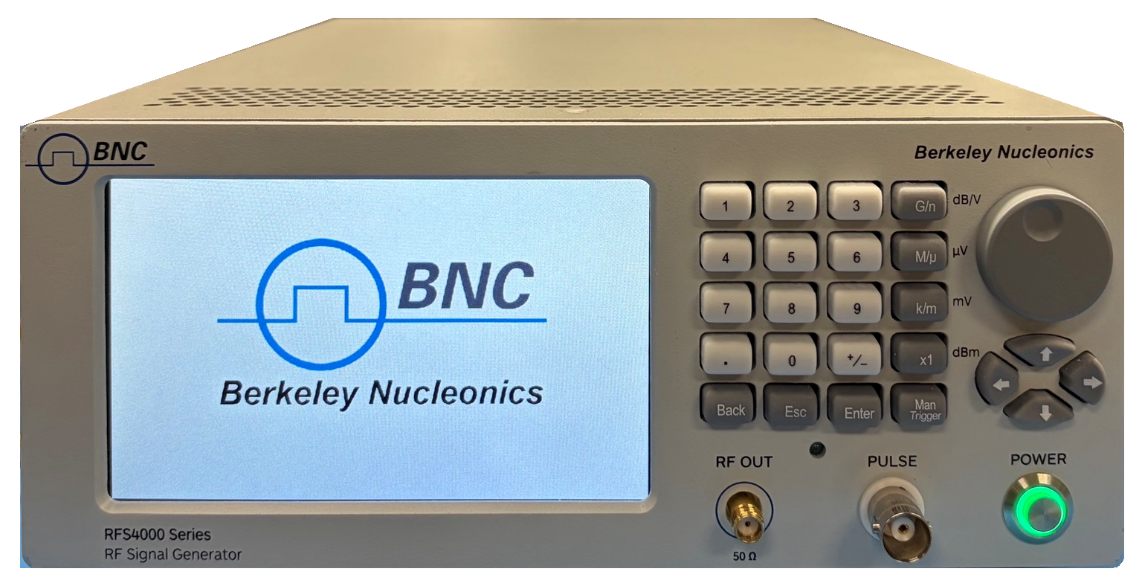
§Warranty
Coverage does not extend to damage from misuse, unauthorized repair, modification, or connection to incompatible equipment. To request service, contact Berkeley Nucleonics before the warranty period expires. Full warranty terms and copyright notice are in the PDF manual below.
1General Remarks
The RFS-4220T is a compact, high-performance RF and microwave signal generator designed for lab testing, automated systems, production environments, and RF development. Covering 0.1 GHz to 20 GHz calibrated, settable to 22 GHz, the instrument provides precise frequency control, fine power adjustment, low phase noise, excellent spectral purity, and flexible local or remote operation.
2Quick Start Guide
Power your device using the provided cable and hold the power button to power on. The unit will automatically work in touchscreen mode, while the front buttons may take a minute to connect. Once connected, the status text will update from “Control panel loading…” to “Control panel connected.”
Reference Input (Optional)
- Connect an external 10 MHz reference to the REF IN port if preferred. Otherwise, the device will default to its internal OCXO source.
Sweep Trigger Setup (Optional)
- Connect an external 5 V TTL pulse to the TRIG connector to initiate the saved sweep (or single step if configured) at the rising edge.
External Software (Optional)
- Download the 4000_Series_GUI_Zip_Installer.zip from the BNC website (berkeleynucleonics.com). Right-click the downloaded ZIP file and select Extract All. Open the extracted folder and double-click Install_4000_Series_GUI.cmd.
3GUI Overview
Device Page (external software)
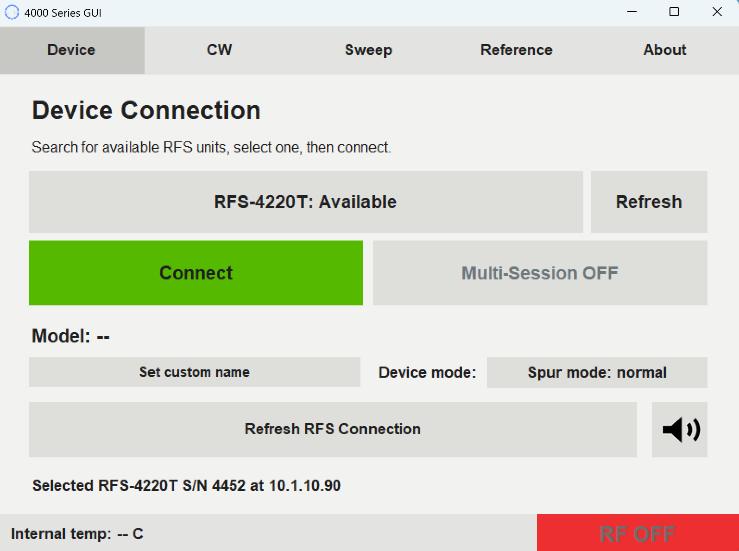
- Refresh finds all available RFS units on the local network
- Multi-session toggle allows multiple computers to control the same device
- Custom names are stored internally on the device
- Device mode dropdown controls how the device handles unwanted spurs
CW Page
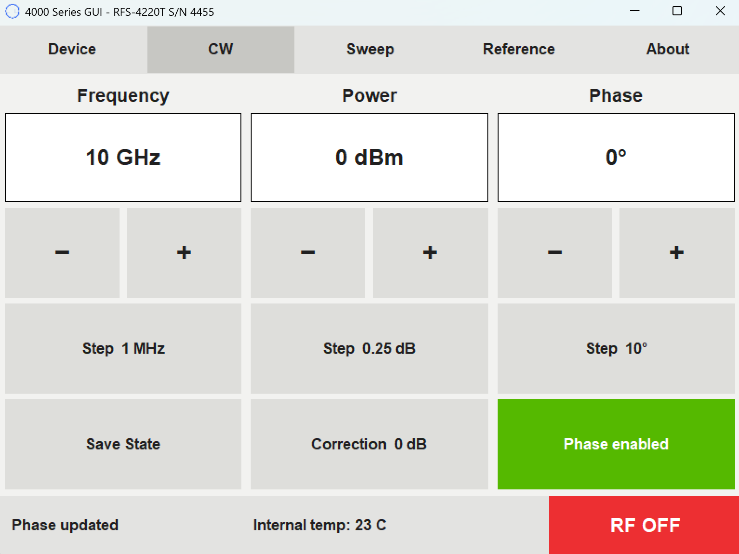
- Set frequency, power, and phase by tapping input boxes or using step and +/- buttons
- Save state before turning unit off to restore frequency on startup
- Set correction to compensate for external power loss or gain
- Recommended to disable phase when not needed to reduce noise
Sweep Page (Scan)
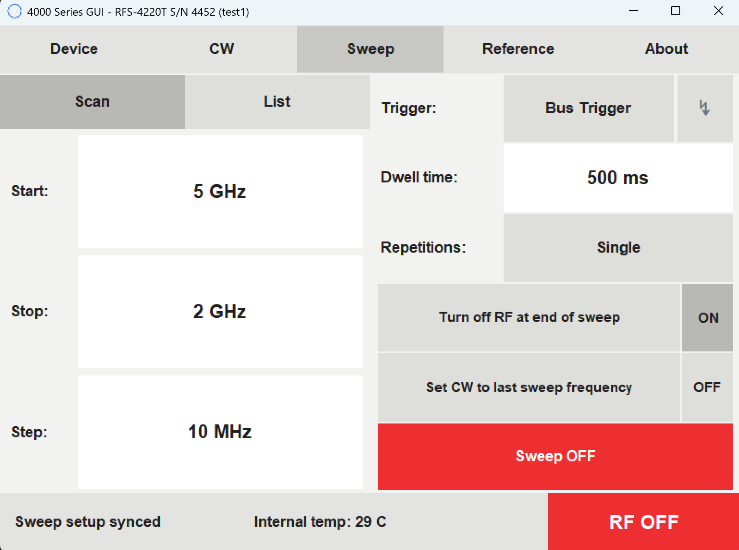
- Set sweep start, stop, and step using the numpad
- Trigger dropdown determines the sweep initiator: Internal (starts on “Sweep OFF” press), Bus (steps incrementally with each press of the ⚡ button), External full list (external trigger initiates the entire sweep), or External single step – dwell or infinite (external trigger steps one point at a time)
Sweep Page (List)
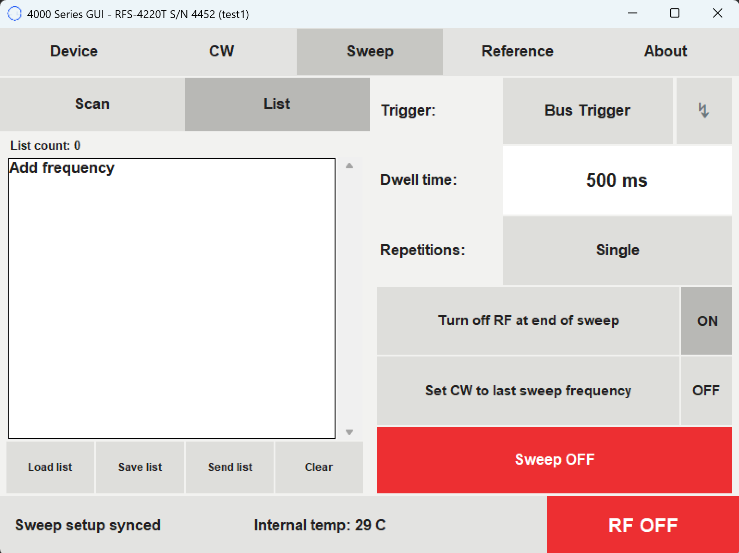
- Tap anywhere to add a frequency; select one to delete or edit
- Load and save lists to internal storage, or to a computer when using the computer application, so lists can be shared between units
- Set dwell time and toggle repetitions between single and infinite
Reference Page
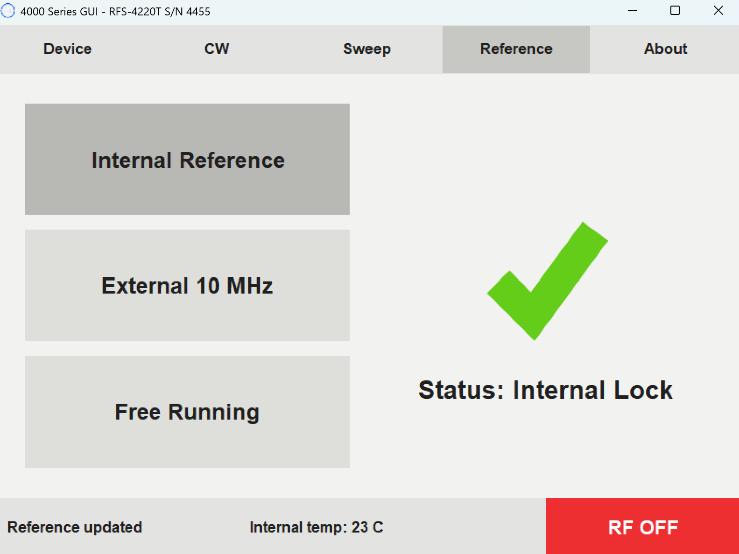
- Internal reference uses the internal OCXO clock; external reference connects to a supplied 10 MHz clock, defaulting to internal if none is detected; free running uses no reference clock
- Status displays lock state. If unlocked, refresh the RFS connection on the About page
About Page
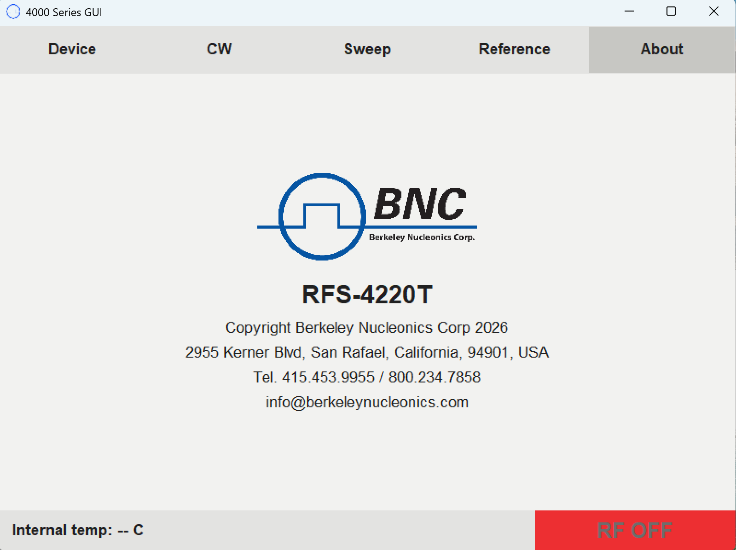
- Speaker button mutes or unmutes the unit
- Contains BNC address and contact information
- Refresh RFS Connection when status shows the reference is unlocked or “RF STATE UNKNOWN”
4SCPI Command List
The RFS-4220T accepts SCPI-style commands over LAN. A few of the most-used commands are below; the complete command list is in the PDF manual.
| Command | Parameters | Comment |
|---|---|---|
| FREQ:CW | 1MHz to 22GHz | Set output frequency in Hz |
| POWER | -45dBm to +15dBm | Set output RF level in dBm |
| OUTP:STAT | 1, 0 | Turn the RF output on or off |
| SWE:MODE | OFF, SCAN, LIST | Select the sweep mode |
| INIT:IMM | - | Start the sweep now |
| *RST | - | Reset unit |
§Contact Us
| Berkeley Nucleonics Corporation | 2955 Kerner Blvd., San Rafael, CA 94901 |
| Phone | (415) 453-9955 |
| info@berkeleynucleonics.com | |
| Web | www.berkeleynucleonics.com |
Cited in peer-reviewed research
Independent publications citing this instrument, indexed by Bioz. Citation counts and Bioz Stars ratings are shown live and update as new papers are indexed.